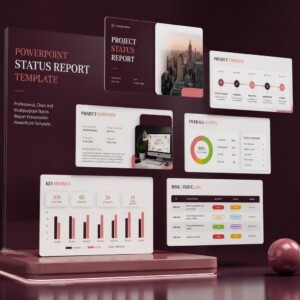

In this article, I’ve suggested 7 Sprint Planning Templates to make your days easier if you’re a software project manager. If you’ve ever walked out of a sprint planning meeting more confused than when you walked in, you’re not alone. A report from Digital.ai found that organizational resistance, leadership misalignment, internal silos, and shifting priorities continue to make Agile hard to scale across the industry. For web and app teams, these challenges are sometimes visible in sprint planning, namely unclear priorities and coordination between design, development, and QA, which creates delivery friction before the sprint has even begun.
Effective sprint planning is the operational heartbeat for modern web application teams. Without a clear template and structure, daily scrums can quickly dissolve into unstructured updates, leaving developers guessing about priorities and product owners wondering why release dates are still slipping.
The good news is that most sprint planning failures are down to a few fixable habits. Below are 7 templates and practices that keep web & app teams on track, pulled from real sprint cycles, not theory.
Why Sprint Planning Breaks Down?

Before the templates, it helps to identify the failure points:
⚠️ Backlog items enter planning without being properly groomed.
⚠️ Team capacity is guessed instead of calculated.
⚠️ Scope gets negotiated on the fly instead of upfront.
⚠️ Dependencies on other teams surface mid-sprint, not before it.
⚠️ Each template below targets one of these specific failure points.
Each of the below templates target one of these failure points.
Regular backlog grooming is essential before any planning meeting begins. Ensuring that user stories contain clear acceptance criteria, technical requirements, and accurate effort estimates prevents costly misunderstandings during active development cycles.
The 7 Sprint Planning Templates
1. The Definition of Ready Checklist
Before any item enters sprint planning, it should meet a clear bar: acceptance criteria written, design assets attached, dependencies flagged. Teams that skip this step spend the first 20 minutes of planning re-explaining tickets instead of estimating them.
2. The Capacity Calculator
Don’t estimate based on a “full” sprint. Subtract:
- Planned leave and holidays
- Meeting load and on-call rotations
- Buffer for unplanned bug fixes (most web/app teams should reserve 10-15%)
3. The Sprint Goal One-Liner
If your team can’t state the sprint goal in one sentence by day 2, the sprint doesn’t have a real goal; it has a task list. Sounds like: “Ship a working checkout flow for mobile users.“
4. The Dependency Tracker
Web and app teams rarely work in isolation. Design, backend, and QA all rely on one another’s timing. A simple tracker (who owns what, and by when) prevents the classic ‘we were blocked and didn’t say anything’ surprise on day 8.
5. The Agile Ceremony Cheat Sheet
Standups, reviews, and retros all have a purpose, which, when it gets fuzzy, the meetings become filler. Read details from this official guide.
6. The Red Flags Checklist
Some warning signs are easy to miss in the moment, like scope creep, QA being pushed to the last 2 days, a risk log nobody’s touched in weeks. Catching these early is far cheaper than fixing them on day 9 of a 10-day sprint.
7. The Stakeholder Weekly Update
A sprint can go perfectly and still feel like a failure if stakeholders were surprised by the outcome. A short, consistent weekly update (status, wins, risks, what’s next) closes that gap.

Quick Self-Check 🎯
Rate your last sprint on each of these, 1-5:
- Backlog was groomed before planning started
- Capacity was calculated, not guessed
- Team could state the sprint goal by day 2
- No major dependency surprises mid-sprint
- Stakeholders had a clear, scheduled update
Scored below 15? That’s exactly what the templates above, then the toolkit below, are built to fix.
Get the Free Cheat Sheet
By standardizing your sprint planning rituals using these structures, your web development team can eliminate administrative friction and protect engineering velocity in order to consistently ship high-quality digital products on time. Want the Scrum Master vs. PM breakdown? Check here.
Get the Full Toolkit
All 7 templates above are available as ready-to-use, editable files (not just theory) in the PM Toolkit for Web & App Teams. You’ll get some spreadsheets to duplicate and reuse sprint after sprint.
By standardizing your sprint planning rituals using these structures, your web development team can eliminate administrative friction and protect engineering velocity in order to consistently ship high-quality digital products on time.
Frequently Asked Questions
How long should sprint planning take?
For a 2-week sprint, budget roughly 2 hours. Longer sessions usually signal the backlog wasn’t groomed beforehand.
What’s the difference between a Scrum Master and a Project Manager in sprint planning?
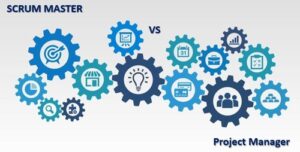
A Scrum Master facilitates the process and protects the team’s focus; a Project Manager tracks how the sprint fits into the broader project timeline and stakeholder commitments. You can get some more details in another article.
Do these templates work for non-Scrum agile teams (Kanban, hybrid)?
Yes; the capacity, dependency, and stakeholder update templates apply regardless of ceremony structure.
Your Turn 💬
Which of these 7 is your team missing right now? Drop a comment below; I read every one.